> For the complete documentation index, see [llms.txt](https://docs.datasaur.ai/llms.txt). Markdown versions of documentation pages are available by appending `.md` to page URLs; this page is available as [Markdown](https://docs.datasaur.ai/data-studio-projects/nlp-task-types/span-based.md).
# Span Based
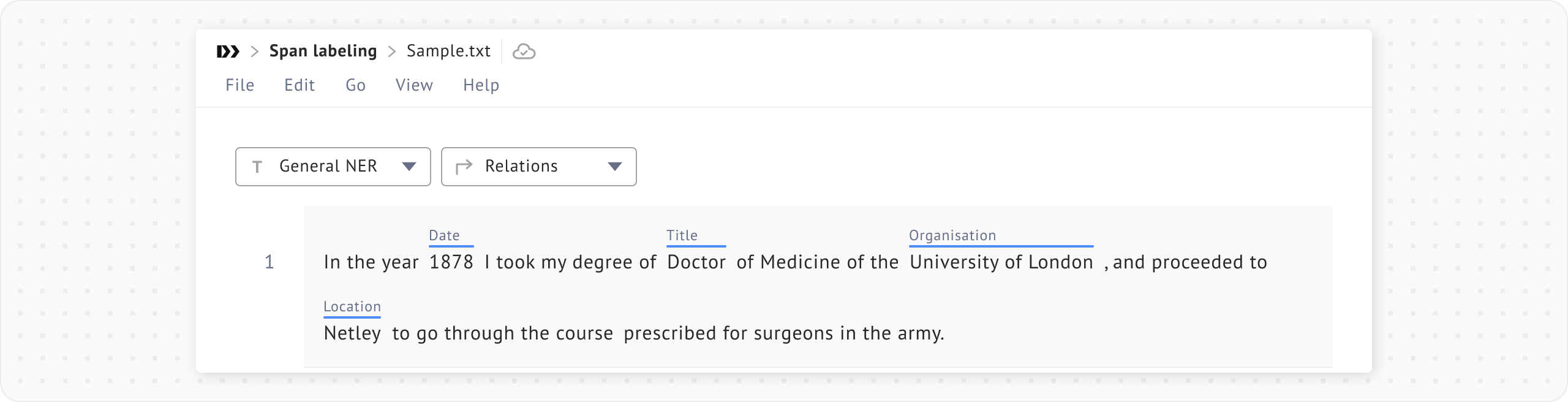
**Span labeling** projects allow you to label spans of text within a document. This type is well suited for tasks such as named entity recognition ([NER](/data-studio-projects/nlp-task-types/project-templates.md#named-entity-recognition)) and part-of-speech ([POS](/data-studio-projects/nlp-task-types/project-templates.md#part-of-speech)) tagging.
During project creation, you can adjust additional settings as described below.
* **Limit selection to a span of 1 token** is useful when you want to ensure that every token in the document is labeled.
* **Spans should have at most one label** prevents you from adding multiple labels to a single span.
* **Allow arrows to be drawn between labels** lets you draw arrows from one label to another to annotate relationships between words. This is useful for showing that an adjective relates to a noun, or that a pronoun refers to a person.
* **Default text** **selection** lets you choose between token-level or character-level selection. Some languages, such as Mandarin, Korean, or Thai, may require character-level selection.
**Note**: If you have already created a project, you can change the configurations through [**Project settings**.](/data-studio-projects/lets-get-labeling.md#project-settings)
{% hint style="info" %}
Aside from NER and POS, [audio labeling](/data-studio-projects/nlp-task-types/span-based/audio-project.md) is another type of spanlabeling task. The main difference is that the audio interface displays a waveform and allows you to modify timestamps.
{% endhint %}