# Labeling Guidelines

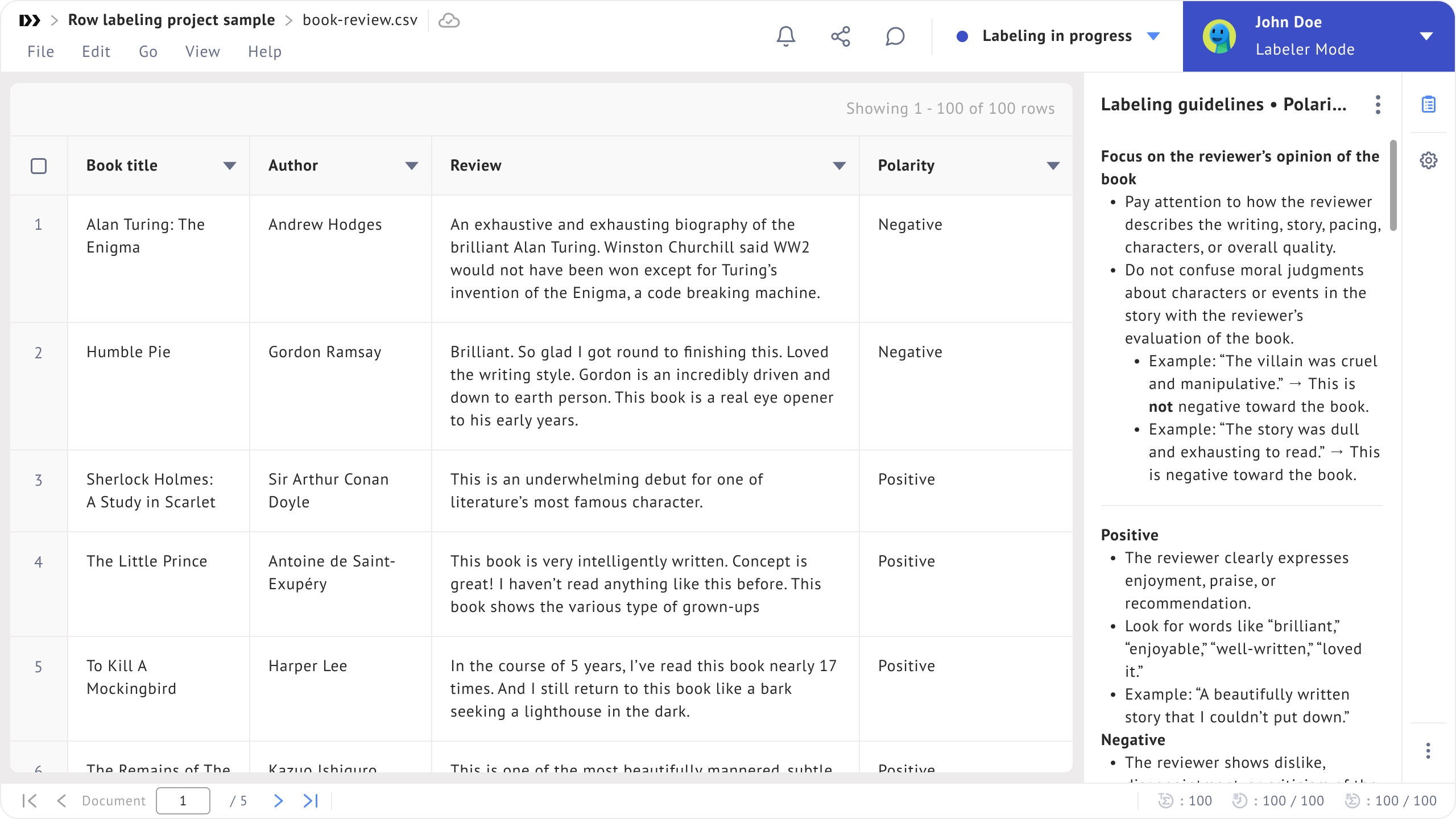
The **Labeling guidelines** extension contains the instructions that labelers should follow during labeling tasks.

<figure><img src="https://448889121-files.gitbook.io/~/files/v0/b/gitbook-x-prod.appspot.com/o/spaces%2F-MbjY0HseEqu7LtYAt4d%2Fuploads%2Fgit-blob-fc0b84b088d5667ea1cf135795d6ca60e5d7dc1f%2FExtension%20-%20labeling%20guidelines%20-%20empty.png?alt=media" alt=""><figcaption></figcaption></figure>

Guidelines can be uploaded in `.txt`, `.md`, or `.pdf` format.

For guidelines uploaded in **Markdown (`.md`) format**, the extension supports anchor link navigation. This allows users to navigate long guidelines using table of contents links that jump directly to specific sections within the document.

{% hint style="info" %}
The maximum guideline file size is **1 MB**.
{% endhint %}

There are three ways to add guidelines:

1. Drag and drop a file into the file uploader in the extension.
2. Upload a file by clicking **Browse files.**
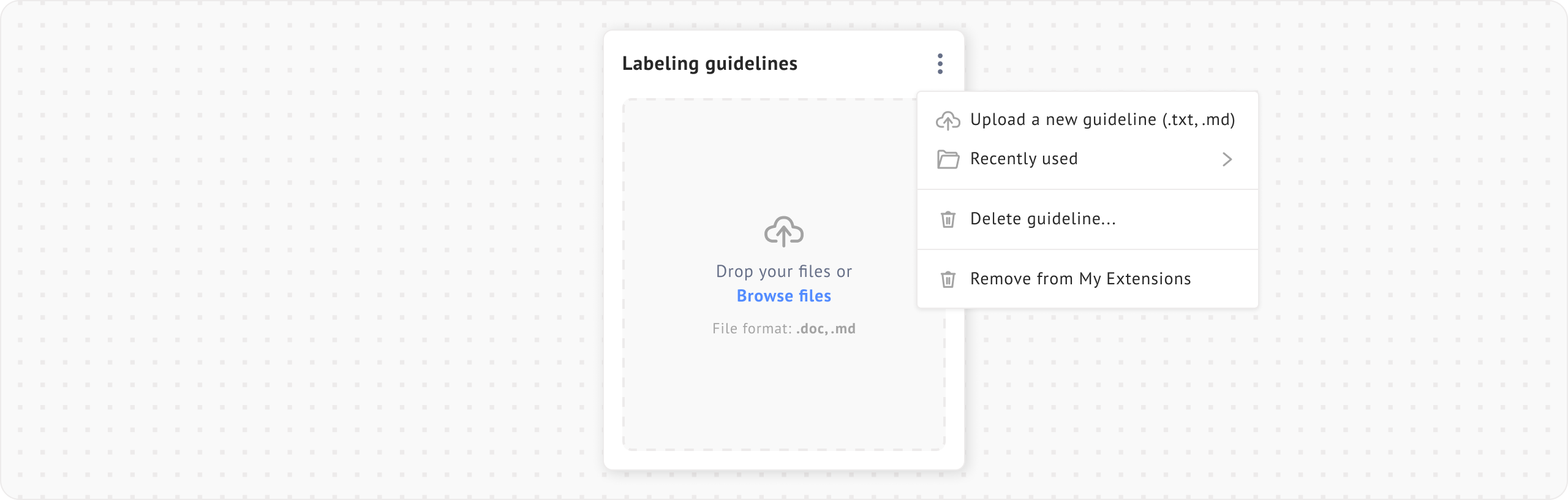
3. Choose a file from the library by clicking **Recently used** from the triple-dot menu.

Uploading a new guideline will replace the existing guideline.

<figure><img src="https://448889121-files.gitbook.io/~/files/v0/b/gitbook-x-prod.appspot.com/o/spaces%2F-MbjY0HseEqu7LtYAt4d%2Fuploads%2Fgit-blob-4fc36d06ac28e5045c2992972f85eea814a7d864%2FExtension%20-%20labeling%20guidelines%20-%20more%20menu.png?alt=media" alt=""><figcaption></figcaption></figure>

<figure><img src="https://448889121-files.gitbook.io/~/files/v0/b/gitbook-x-prod.appspot.com/o/spaces%2F-MbjY0HseEqu7LtYAt4d%2Fuploads%2Fgit-blob-d3356a23aea84bad53e8529293ad677181d1775c%2FExtension%20-%20labeling%20guidelines%20-%20project.png?alt=media" alt=""><figcaption></figcaption></figure>

While deleting a guideline will remove it for all assignees in the project.

<figure><img src="https://448889121-files.gitbook.io/~/files/v0/b/gitbook-x-prod.appspot.com/o/spaces%2F-MbjY0HseEqu7LtYAt4d%2Fuploads%2Fgit-blob-2274c89b0fe65f51cc2fe5c50c56ef3fd0777b16%2FExtension%20-%20labeling%20guidelines%20-%20delete.png?alt=media" alt=""><figcaption></figcaption></figure>