> For the complete documentation index, see [llms.txt](https://docs.datasaur.ai/llms.txt). Markdown versions of documentation pages are available by appending `.md` to page URLs; this page is available as [Markdown](https://docs.datasaur.ai/workspace-management/analytics/inter-annotator-agreement.md).
# Inter-Annotator Agreement (IAA)
Inter-annotator agreement (IAA) measures how consistently multiple annotators make the same labeling decisions for a given label category or class. It helps evaluate the clarity of your guidelines and the reproducibility of your results.
We support two algorithms to calculate the agreement between two annotators:
* [Cohen's Kappa](/workspace-management/analytics/inter-annotator-agreement/cohens-kappa-calculation.md)
* [Krippendorff's Alpha](/workspace-management/analytics/inter-annotator-agreement/krippendorffs-alpha-calculation.md)
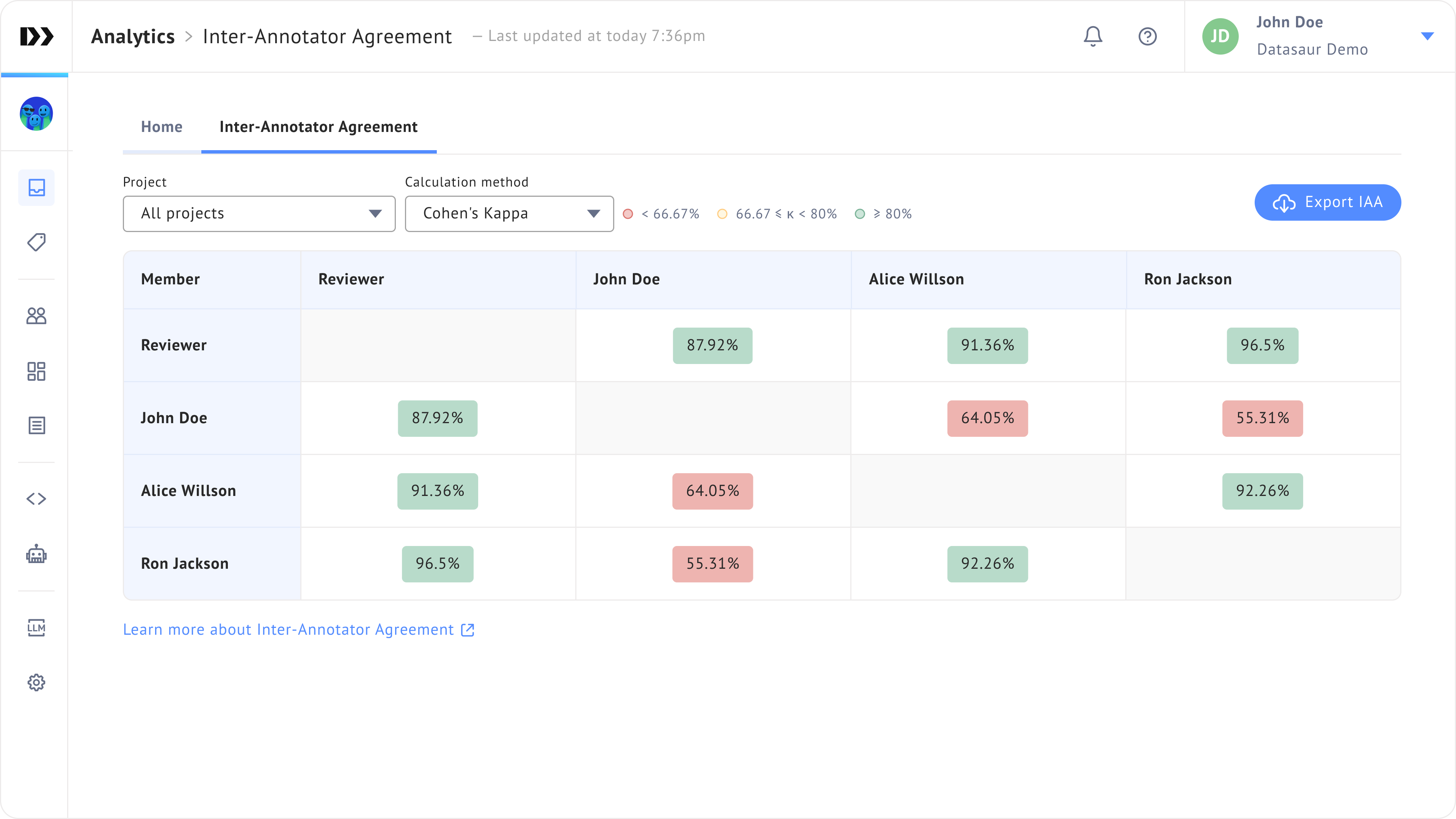
Note that we apply the scale interpretation of Krippendorff's Alpha for both methods as in Image 1.

* **Discard** will be presented in red.
* **Tentative** will be presented in yellow.
* **Good** will be presented in green.
IAA is calculated in the background as soon as a project status changed to **Ready for review** (after all labelers mark the project as complete) or **Complete** (a reviewer marks the project as complete).
## View IAA data
You can view inter-annotator agreement at both the workspace and project levels to analyze consistency across your labeling work. To view IAA across projects:
1. Go to **Analytics > Team Overview** from the left sidebar.
2. Open the **Inter-Annotator Agreement** tab.
Only **admin** can view this data.
### Workspace level
At the workspace level, IAA is calculated as a weighted average across all projects. It does not recalculate all labels or answers. Instead, it considers how often each label or answer occurs between annotators, providing a more accurate representation of overall agreement.
Team overview IAA
### Project level
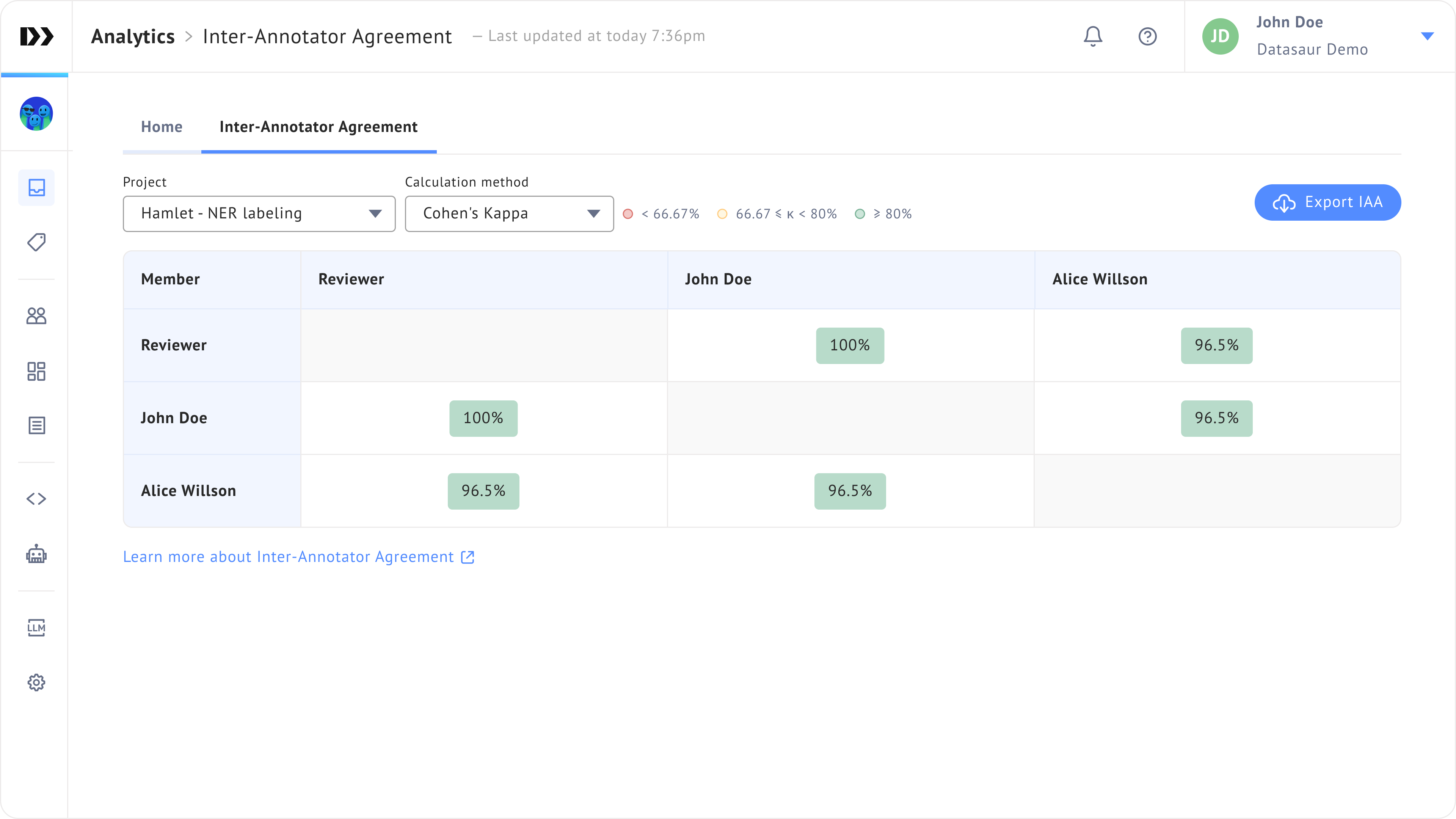
To view IAA at the project level, select a project from the **Project** field.
You can also view it from the **Project analytics** page:
1. Go to the **Projects** page.
2. Click the **three-dot menu** on a project and select **View project analytics**.
3. Open the **Inter-Annotator Agreement** tab.