> For the complete documentation index, see [llms.txt](https://docs.datasaur.ai/llms.txt). Markdown versions of documentation pages are available by appending `.md` to page URLs; this page is available as [Markdown](https://docs.datasaur.ai/assisted-labeling/ml-assisted-labeling/ml-assisted-using-huggingface.md).
# Hugging Face
{% hint style="info" %}
**Supported labeling types**: Span labeling**,** row labeling.
{% endhint %}
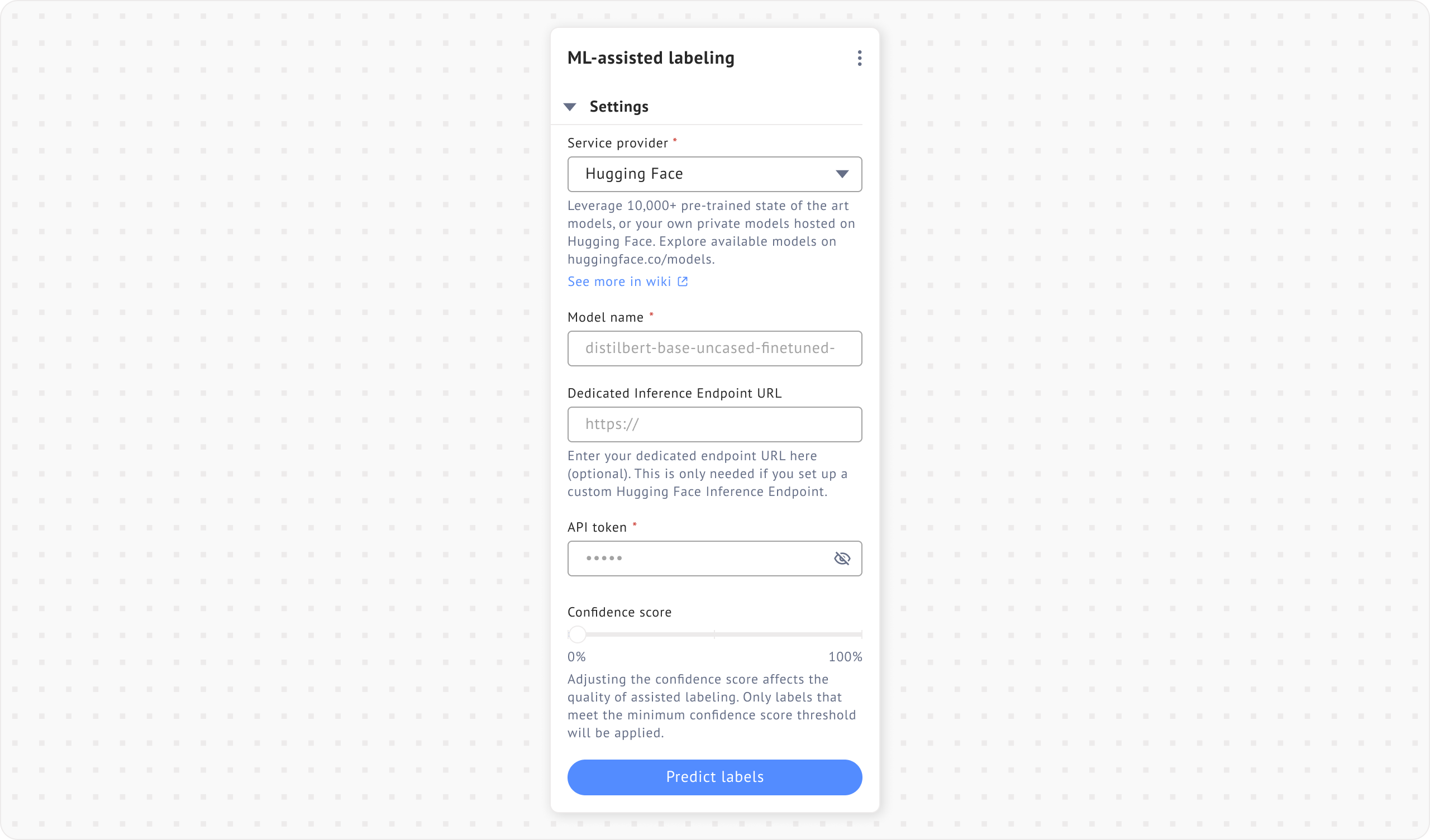
Datasaur integrates directly with Hugging Face, providing access to their 10k+ models.
After choosing Hugging Face as the option, you can go to [Hugging Face](https://huggingface.co/models) website and choose the available models. You can also use your own private models hosted on Hugging Face.
## Span labeling
For span labeling, enter the model name or provide an endpoint URL if using a self-hosted model. When using your own endpoint, a model name or API token is not required. You can also set a confidence score to adjust the prediction threshold.
## Row labeling
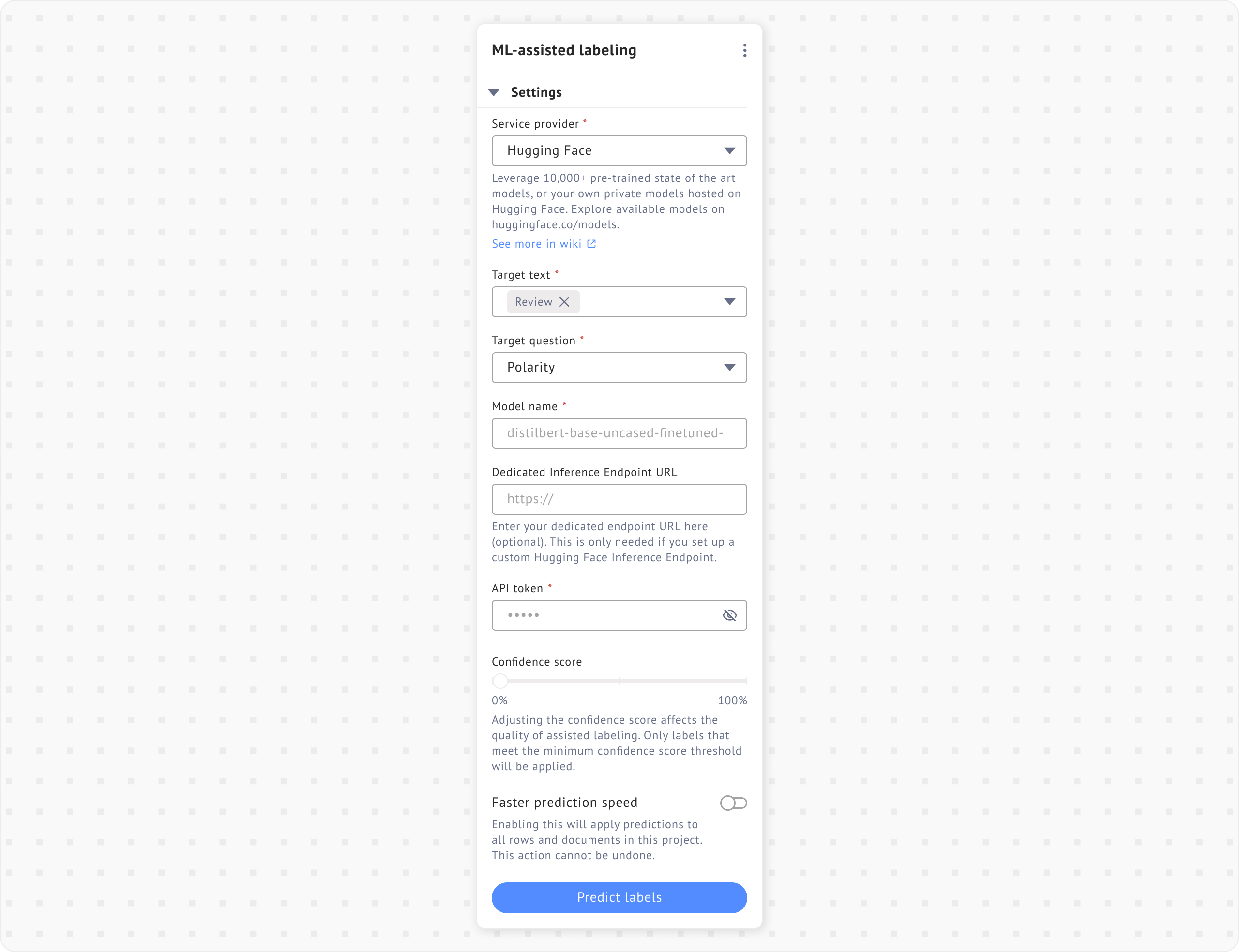
In row labeling, select a column as the input in the **Target text** field and choose the target question as the output. To get started, enter either the **model name** or the **Dedicated Inference Endpoint URL**, along with your **API token**.
When choosing a model for label prediction, use a text classification model. The model should return a list of dictionaries (or objects) where each object contains all predictions (positive, negative, neutral), like this:
```
[
[ { label: "positive", score: 0.8 }, { label: "neutral", score: 0.15 }, { label: "negative", score: 0.05 } ],
[ { label: "negative", score: 0.6 }, { label: "neutral", score: 0.3 }, { label: "positive", score: 0.1 } ]
]
```
or just a single list/array that contains objects of single prediction (the highest score), like this:
```
[
{ label: "positive", score: 0.8 },
{ label: "negative", score: 0.6 }
]
```
There's an option for **Faster prediction speed**, which improves performance by processing entire rows at once. Note that this action cannot be undone. You can also adjust the **Confidence score** to set the prediction threshold.
Clicking **Predict labels** will automatically apply labels to the document based on the loaded model.